
How to delete Google Chrome history on Android
- Open the Google Chrome App.
- Press the "menu" Softkey on your Smartphone.
- In the menu, select the item "settings".
- Tap "Advanced" and on "privacy" and then the grey Button with the inscription "clear browsing data".
- You put in the Pop-Up window to delete the check mark next to "browsing history" and confirm with "Delete".
- Caution: If you are logged in to Google Chrome with a Google Account, delete your browser data to all other devices.
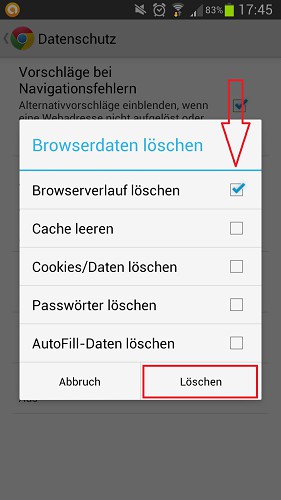
History in Google Chrome delete
Chrome remove browser history on iOS
- Open the Chrome App on your iPhone, iPad, or iPod Touch.
- Tap lines at the top right of the menu Button with the three dashes and select "settings".
- You go under Advanced to point to "privacy".
- Then, tap on "delete browsing history" and confirm the Pop-Up request.
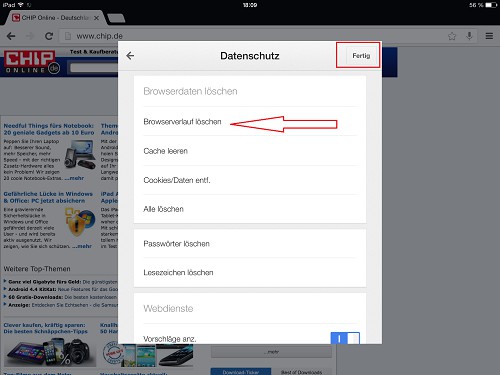
Google Chrome on iOS
How you closed Tabs Chrome restore, read in this practical tip.





