Android O: Background, Limits - extended battery life thanks to the new Feature
- With Android O background activities and network to be curbed access of individual Apps even more. This saves electricity and the phone battery lasts longer.
- Especially location queries, and General background processes of Apps are affected by this new Feature.
- Android 8 also brings benefits for the developer: power-saving Apps are now programming it significantly easier to use.
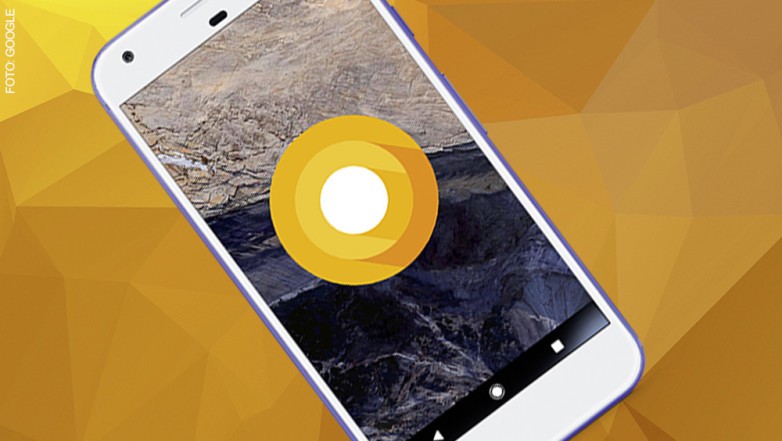
Android 8.0 Oreo Features
New Android Feature: System Updates can be paused
Updates often take annoying long.
- With Android O you now have the ability to pause the Updates, if you want to send an important message.
- You will find the "Download pause"Button in the appropriate Info window.
Finally here: The picture-in-picture mode with Android O
Among the new features in Android O also the picture-in-picture function.
- You can minimize a Video or the display of a video call, now, and in a small window and leave it running.
- In the PIP mode, you can adjust the window size, pause the Video or continue.
New Android O: Autofill API for password Manager
- The Autofill API allows you to define your preferred App as the default for the Save, and Insert user data, such as passwords or addresses.
More security on Android, O with Play Protect
Google Play Protect is an integral part of the operating system.
- You can call Play Protect in the Google Play Store on the sidebar.
- The Feature provides an automated protection from malicious Apps.
Smart Text Selection: The intelligent text recognition
Passages of text can now be more convenient to copy and paste.
- With a double-tap on an address, a Web URL, or phone number, Android 8 records the corresponding rows in a holistic way and copies it.
- Thanks to an on-device learning technology the data need not be synchronized with the Cloud.
New Android Feature: Adaptive and animated App Icons
For better optics, are integrated in Android 8 adaptive App Icons.
- App icons such as the clock or the calendar Icon to adjust the used interface in your Form.
- Developers can animate your App Icons now.
Flexible Installation of Apps from unknown sources
Previously, you could install Apps outside the Google Play Store though, but they had only the options to allow this or not.
- With Android O do you have more specific options for the Download of Apps from unknown sources.
- So, you can specify, for example, that Apps from unknown sources should only be via the Chrome Browser installed.
More Overview with a clustered system settings
To ensure a better Overview, revisions were made to the system settings.
- The area of the system settings has shrunk by about a third.
- You now have less menu items, the offer, however, many sub-menus.
Improved search on Android O
The search function has been improved since Android Lollipop already, it gets in Android Oreo a more practical function.
- Are you looking for in the settings to Apps that you have installed, these will be listed, as in the past.
- With Android 8, you can access from here directly to the corresponding App-Info menu and disabling the App, the App-customize permissions or the App-clear Cache.
Notification Channels: A Redesigned Notification System
Android Oreo personalize the notification system even more than it already is on Android, Nougat.
- With Notification Channels or notification channels, the Clarity is optimized for incoming messages.
- Themes for notifications, you can prioritize now or switch it off entirely.
- Channels you can assign certain background colors, and individual messages for a specified period of time using the snooze function mute.
More Emojis in a new look for Android Oreo
- With the new operating system also, 60 new Emojis coming to your Smartphone.
- The existing were revised and, therefore, come in a new Look.
This smartphone supports Android O already
You possess one of the following mobile phone, you can Android 8 Oreo with us download. You have none of the above Smartphones, you need to wait a bit.
- Nexus 5X
- Nexus 6P
- Nexus Player
- Pixel C
- Pixel
- Pixels XL
You do not know which Android Version you have, we will show in the next practice tip on how you find out.