Eclipse HTML Editor - how to
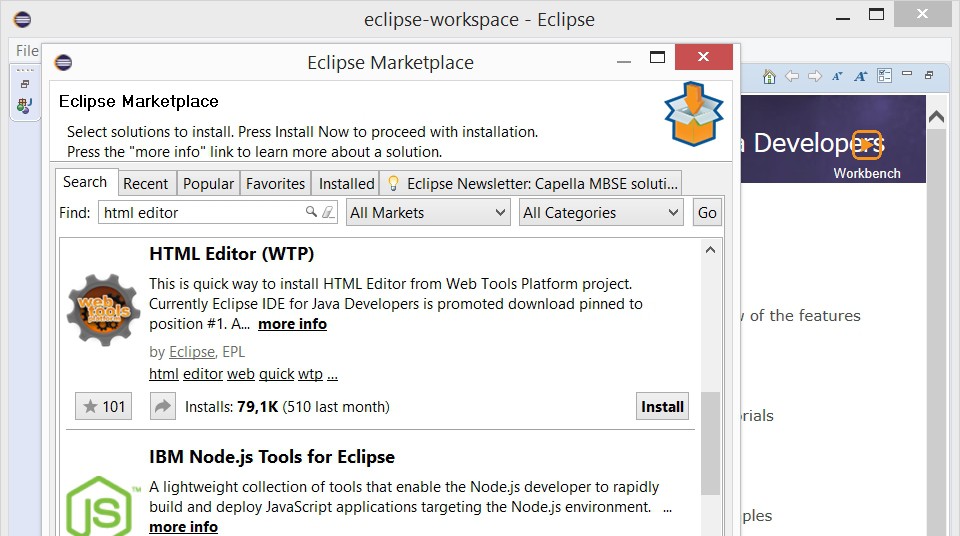
To Eclipse HTML Editor to use, you must first find the Plug-in "HTML Editor (WTP)" to install. To do this, proceed as follows:
- You Open Eclipse.
- Click above in the menu bar, click "Help->Eclipse Marketplace...".
- Enter in the search field (to the right of "Find") "HTML Editor" and press "Go". Are you looking for in the results, after the entry "HTML Editor (WTP)".
- With a click on "Install" will download the Plug-in and configured.
- You accept the Software license terms with "Finish". The HTML Editor is now installed.
- After a restart of Eclipse you HTML can create files in the IDE and edit.
Eclipse as HTML Editor
To find out more about programming with HTML, to learn more, read our HTML 5 Tutorial for beginners.