
Remove Hyperlinks in Word with two clicks!
- Right click on the link.
- In the opened menu select "remove Hyperlink".
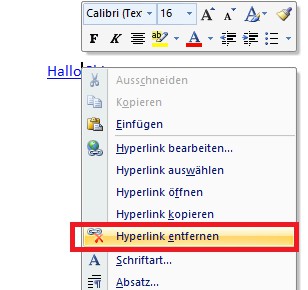
Remove Hyperlink in Word
If you have the Hyperlinks in your document, you want to keep and you only have the blue Hyperlink color bothers you, you know, we also remedy: read how you can the Hyperlink color in Word change.





