
Speedport HSPA set-up - a Instructions
The Speedport HSPA does not require a connection to the phone or TV-cable connection. The use of appropriate SIM-card here, ideally with a data plan.
- Choose a suitable place for the Router. This should be located as close as possible to a window, in order to allow optimal reception.
- Insert the SIM card into the designated SIM Card. For it must first be extracted from the SIM card holder from the Router, and then the SIM card will be inserted.
- Connect the power adapter to a wall outlet and connect it to the Router.
- Connect your Computer/Notebook using a LAN cable to the Router.
- Open your Browser and type: speed port.ip a. Then, the login page of the router appears.
- To register with the data printed on the back of the router.
- Follow the instructions in the setup wizard. Keep the PIN of the SIM card, if you are prompted to enter your PIN.
- The Speedport is set up already and you can surf on the Internet.
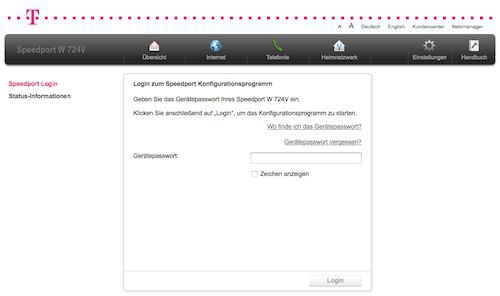
Speedport HSPA set up (Screenshot Telekom)
What you can do, if the Speedport-IP doesn't work, you will learn in the next post.





