
Recover deleted Emails from the trash folder to restore
Do you have your Emails from web.de only deleted from the Inbox, the message is quickly brought back:
- Select in the left column, the entry "recycle bin".
- Highlight the desired Email and click in the upper menu on "Move".
- Select in the drop-down menu the folder in which the deleted Email to be restored (e.g. Inbox).
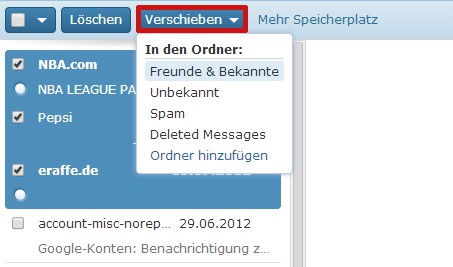
Recover deleted Emails save
You should have the Mails out of the trash removed, it looks poorly: These messages cannot be recovered. So this does not happen, you can forward your Emails to a second account. How you enable this function, we declare them here.





