
Address change online at PayBack
- Open the website of PayBack and click top right on "Login".
- Enter your customer number and your date of birth and your zip code.
- You have logged in, please click on the item "news".
- Then switch to the left to the category "change My personal data".
- Here you can change your address and save it via the Button "Confirm".
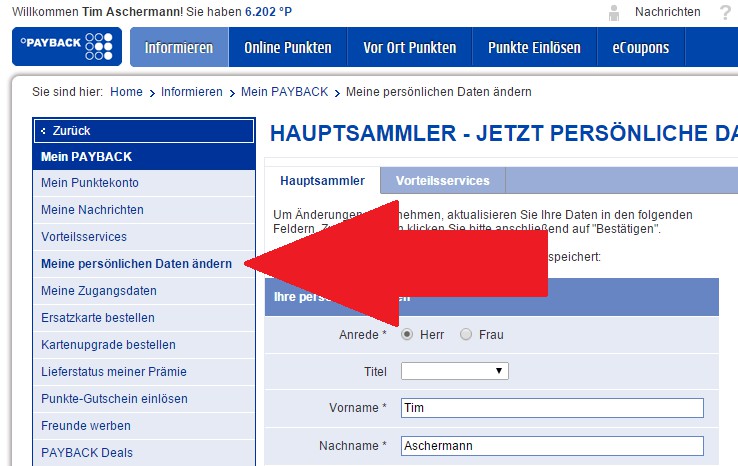
PayBack: address online change
Display: free PAYBACK credit card for 40 Euro starting balance
Currently you can the free pack back credit card from American Express with a 40 Euro starting credit request. In order to in Shops that are not official PAYBACK Partner such as Amazon or Aldi. At PAYBACK partners, you score double.
The offer: free PAYBACK card with 40 Euro starting balance
In the next practical tip we show you how you can on Amazon PayBack to collect points.





