
Cookies in Opera to allow
- Click the top left of the window, click the button "menu" and select the "settings".
- Go to the left to the category "privacy & security" and scroll down a bit.
- Under the "Cookies" you can now find all the relevant settings.
- Here, select the Option "allow local data to be set (recommended)".
- Via the Button "exceptions", you can exclude the manage individual web pages.
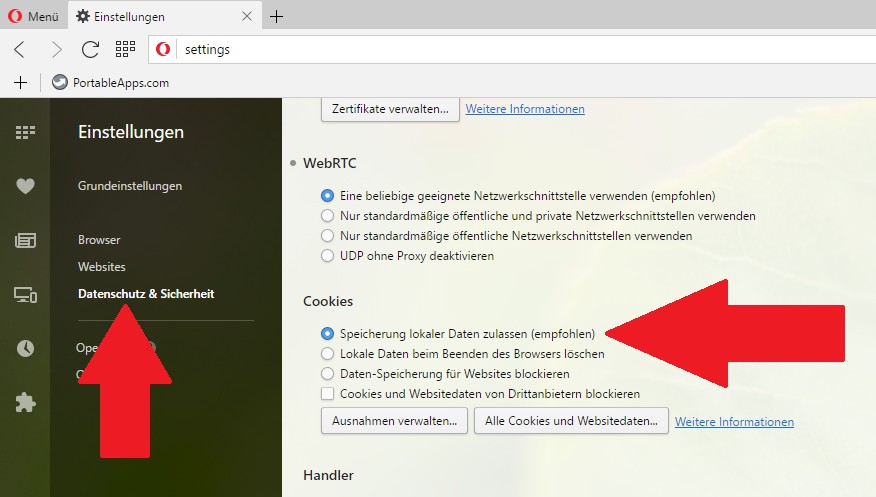
Opera: Cookies
What Cookies are and what they used to be, we will explain in the next article.





