
Firefox Themes download and install
With the so-called "Themes" you can change the appearance of the Firefox browser. To return to the Themes:
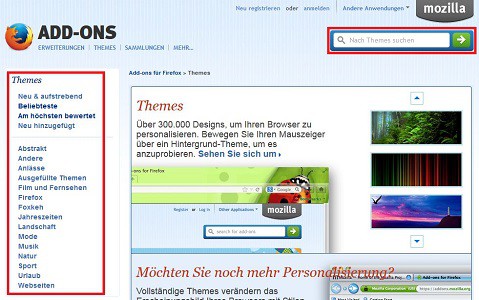
- Call with Firefox, the Add-on page for Themes on.
- In the left panel, the different Themes according to Categories should be sorted. You can search for specific topics, use the search box above. A list of the Top 100 Firefox Themes we have you here assembled.
- As soon as you move the mouse pointer over a thumbnail Theme, it is applied as a preview on your Browser. To apply the Theme, click on the button "+ Add".
- By upper left corner, click the Firefox button, and then click "Add-ons", you can manage your downloaded Themes in the "appearance".
Firefox-background image change
The guide applies to Windows 7 and the Firefox Version 22.0. How to make your Add-ons in Firefox update, read here.





