
iOS & Android: Keepsafe Premium cancel
- Keepsafe Premium, you can terminate directly in Keepsafe. The subscription is managed through iTunes or the Google Play Store. The notice period is 48 hours.
- On Android, you must open the Google Play Store and after the Keepsafe App search. In the upper area, then you will see your active subscription that you can stop on the corresponding Button.
- On iOS, you have to go into the "settings"App. In the category of "iTunes & App Store", select the top of your Apple ID. On "view Apple ID" to go to your "subscriptions". Select Keepsafe Premium, and you tap cancel on the "subscription".
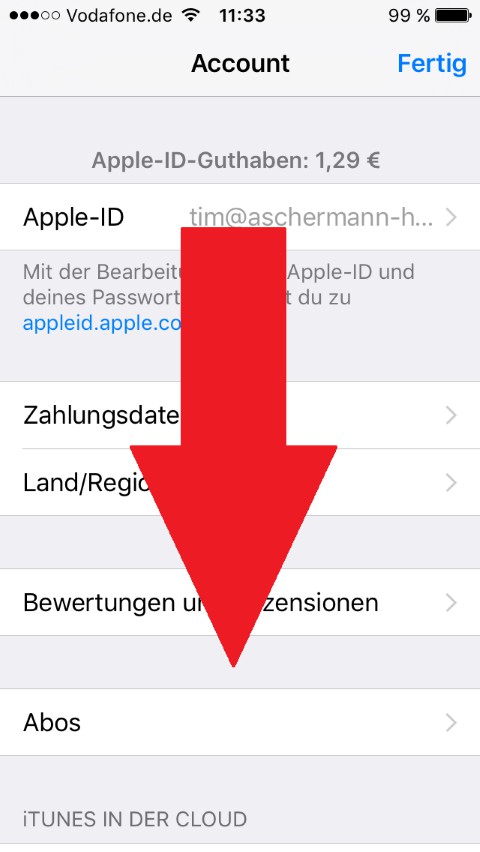
iPhone: Keepsafe Premium cancel
In the next practical tip we show you how to photos on iPhone hide.





