
Instagram password reset - how to
With a few simple steps, you will have the opportunity to have your Instagram password reset:
- Go to the website from Instagram.
- Click on the button "log in".
- Click on the Link "forgot password?".
- Enter your Instagram username or the rear of the E-Mail address and write the Captcha in the box provided. Click on the button "reset password".
- The input was correct, you will soon receive an E-Mail with the password reset.
- Click on the Link in the received E-Mail. On the website you can now enter your new password. Confirm the input.
- Your password is reset. You can now login with the new password.
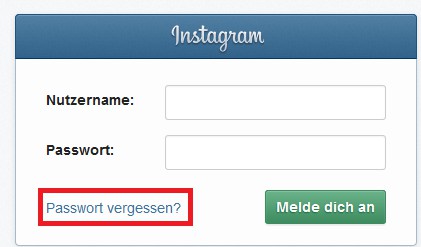
Instagram: forgot your password
In a further article, you will learn how you pictures in Instagram save but do not share.





