
Problem solution: Google Play Store disappeared
You have rooted your Smartphone, you can delete the Google Play Store accidentally. Even after the failed Android update, the Play Store can disappear.
- First, open the "settings"App on your Android Smartphone.
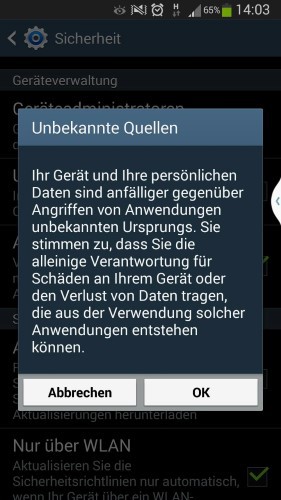
- Changing to category "safety". Under "device administration", find the Option "Unknown sources".
- You put a hook or confirm the following query with "OK". Note: After the successful implementation of the manual, you should disable the Option again.
- Download now in the Google Play Store APK on your Smartphone.
- Then open the downloaded file and tap the "Install"Button.
- Then the Play Store should be available again. This is not the case, follow the instructions in the next paragraph. The Option "Unknown sources" can now be deactivated again.
Google Play Store install
Google Play Store is still missing - what to do?
- The App continues to be gone, restart your device. Possibly this will fix the error.
- Under certain circumstances, the App was hidden. As you Apps, then show them again, we will show you in this practical tip.
- Nothing should be of more help, you should use your device to factory settings to reset. Create be sure to have a Backup of your data.

Google Play Store restore
What you can do if the Google Play Store down is, we can tell you in the next tip.





