
So you make the address bar in Firefox is visible again
- Click in the upper-left corner, click on the orange Firefox button, and then click "settings".
- In the case of visible menu bar, click alternatively, click "view" > "toolbars".
- Click on "navigation toolbar" and the address bar is again to be seen.
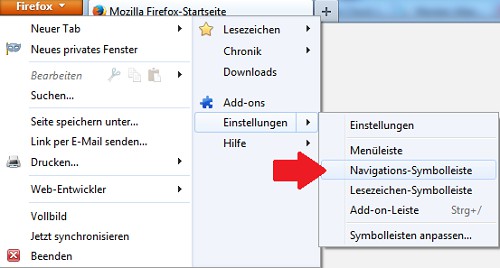
Firefox-Settings
What do you do when the whole menu bar in Firefox has disappeared, you will learn in this practical tip.





