Video Player in Android to change - so it goes
- First, open the "settings"App on your Android Smartphone.
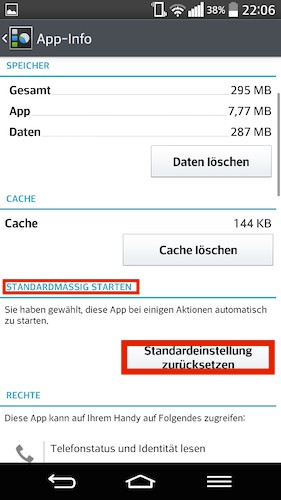
- Now navigate to the category "Apps" or "application Manager".
- Go to category "All" and select the current App, with Videos open a. The default Player is often called "Video Player".
- Now tap on the Button "defaults delete" or "actions reset to default".
- Now open any Video, you will be asked which App you want to open it.
- Here you can set now a new Video Player as the default.
Video Player in Android to change
In the next practical tip we show you how to recover deleted files on Android restore.