
1. For security fanatics: Android Tablet as a surveillance camera
Using a variety of Apps, from the Android Tablet a monitoring unit to establish.
- Install one of the Apps you can get from the Google Play Store under the search term "security camera" shows, such as those with the descriptive name "cell phone as a surveillance camera, "on your old Android Tablet.
- Then position the phone to the place where you want to meet your monitoring request. A possible location is the local cuisine, in order to keep the sugar consumption of the young at a Glance. At the same time but also to place the camera during the summer vacation in the vicinity of the front door, to respond to actual danger to so.
- Now, take out your primary Android device and install this same App.
- Once you have logged in on both devices with the same Google Account, there is now the possibility of the Live recording of the camera from your favourite Android-retrieve device, and to track all the developments in front of the camera.
- Alternatively, other applications also offer the possibility, for according to the recorded movements in front of the camera, a Notification to send the "receiver" declared the mobile device.
- Make sure the camera used Tablet to permanently connect to a power source, not because of a battery defect in the key video sequences to be recorded.
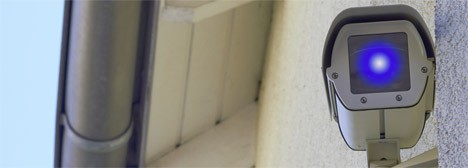
Old Android Tablet as a camera
2. For notorious space problems engineer: Android-Tablet as an extension of the Windows desktop
13", 15", 17". Some are not enough for even the biggest Display Diagonals, in order to keep your daily Workflow on a Windows machine, an Overview between Tabs, Windows, programs and files.
- Here, too, old Android create Tablets using Apps remedy. So you can use using the Software "iDisplay" your Android Tablet as a screen extension of the Windows desktop.
- Install the appropriate application for both the Android Tablet as well as on the Windows machine.
- After the successful Installation, the possibility to choose between different transmission options, including the display extension, is.

Tablet as a screen extension
3. For photo enthusiasts: the Android Tablet as a digital photo frame
A larger Display, usually with a resolution of at least 720p - what is the use of there, closer than that of the image presentation?
- You only need a Stand for your Tablet, through either a corresponding Case or a Tablet stand.
- Then check whether your Android device from home, mostly via the "gallery"App, a Slide/slide show function brings. This is not the case, install the App "SlideShow Application".
- Select the images, the part of the slideshow should be and the unrestricted and cost-effective photo enjoyment on the way.

Tablet as a photo frame
4. For a rule Keeper: Android Tablet as evidence on the road
- Also, for this use of your old Android Tablets offers a App basis: "DailyRoads Voyager". It records the travel history permanently via Video, something happens out of the ordinary, you can save the Video by a simple touch of a finger easily. At the same time, all the recorded Videos will be stored on a Central Server that can also be used by PC or Smartphone access. This enables you to check prior to the start of the journey, the weather and road conditions on the relevant route.
- Install the App on your old Tablet.
- You can fix this in connection with a commercial in-car holder on the windscreen of your car's.
- By the time you Start the App and start recording their ability to record the traffic events is already functional.
5. For cloud-based: Android Tablet as a (Media)Server
In times of ever more restricted way, in the case of his Smartphone to the memory using an SD card to expand, engage a lot of users to Cloud services such as Dropbox or OneDrive back.
- At the same time the possibility to use the old, discarded Android Tablet as a Server for data and files is but.
- Make sure you have a permanent power supply to the tablet and install the App "FTP server". This is transformed, the name, following your Android Tablet into a FTP Server.
- In the event that you prefer to the WebDAV Server, in Play Store also appropriate applications.
- After a successful Installation, you have the option, data on the previously configured Server and other devices on this access.
- Similar procedures when setting up a media server where you can store your music, photos, or Videos to digital. The App "BubbleUPnP" gives you in this connection, the possibility, on the Tablet, multimedia files located on a suitable DLNA - and UPnP-receiver to send and play.
Should your Tablet enough computing power to muster, you can find here a guide on how you Whatsapp on this install.





