
WhatsApp messages on the Lockscreen - how to
Android users can get WhatsApp messages directly on the Lockscreen of your smartphone display. The appropriate Option must be selected in the settings:
- You Start WhatsApp.
- You can open the settings by tapping the top of the first on the right on the three dots and then on "settings".
- Select "notifications" and then "Pop-up notifications".
- Put the selection point at "Pop-up always show".
- If desired, set the same Option is also in the area of "group notifications".

WhatsApp on the Lockscreen
WhatsApp as a Lockscreen Widget to add
Alternatively, you can try a Widget on the Lockscreen create. To do this, proceed as follows:
- You call on the lock screen and swipe to the left to unlock the screen but.
- You tap on the large Plus icon and scroll the selection down to the WhatsApp-Lockscreen-Widget. Tap it.
- From now on you have on the Lockscreen a WhatsApp link, through which you can quickly and easily view your WhatsApp messages can be viewed.
- Alternatively, you can for the App DashClock Widget and the DashClock WhatsApp Extension download. Your Smartphone needs Root rights.
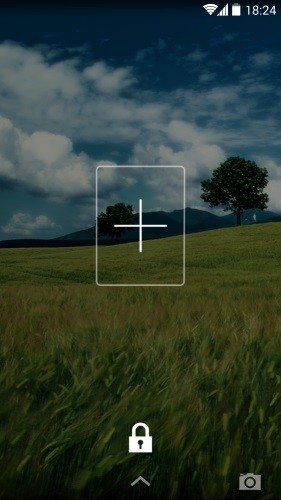
WhatsApp as a Lockscreen-Widget
The manual refers to a Nexus 5 under Android 4.4.2. As in WhatsApp, change the Font, read in a further practical tip.




